
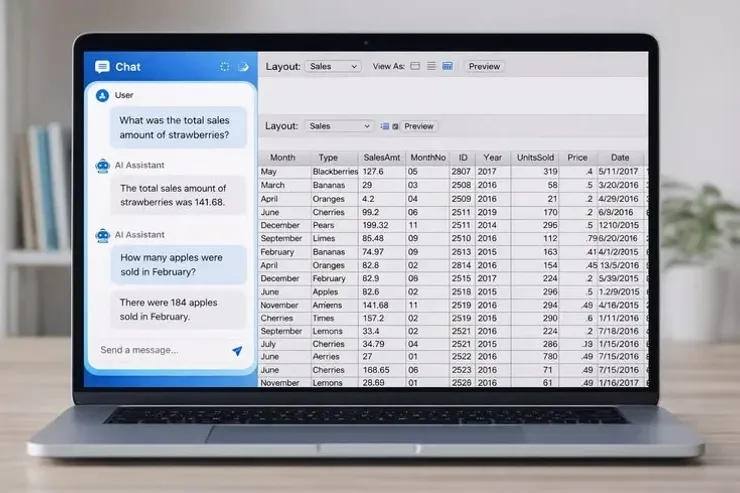
You Can Now Talk To Your FileMaker App In Natural Language
What Is MCP?
MCP gives FileMaker developers a practical path to secure, scalable AI integration. Instead of creating custom AI integrations for every assistant or application, MCP provides a common standard for connecting AI to your FileMaker solutions.
It exposes FileMaker data and scripts to AI assistants, allowing users to ask questions in plain English while you remain in full control of what is accessible.
What Does MCP Stand For?
MCP (Model Context Protocol) is an open standard introduced by Anthropic. Its purpose is to allow AI assistants to securely connect to external systems where data lives, creating a consistent way for AI to discover information and perform actions.
What Is Claris MCP?
Claris MCP brings this standard to the FileMaker platform. It allows AI assistants to communicate directly with your FileMaker solution using the resources you intentionally expose.
Rather than giving AI unrestricted database access, you decide exactly what it can see and do.
Security Comes First
With Claris MCP, your existing FileMaker security model remains in charge.
You control:
- Which tables and data are accessible.
- Which scripts an AI assistant can execute.
- Which users have permission to perform specific actions.
- The business logic and validation that every request must follow.
AI works within your application’s existing rules; not around them.
How the Connection Works
Claris MCP uses a simple configuration snippet; a JSON object containing your FileMaker Server URL and a static authentication token.
An MCP client uses this information to establish a secure connection with your FileMaker solution and discover only the resources you’ve chosen to expose.
What Can Users Do?
Once connected, users can interact with your FileMaker app naturally.
For example, they can ask: “How many unpaid invoices do we have?” “Show me our top five customers this month.” “Create a new customer record.” “Generate this month’s sales report.”
The AI translates these requests into approved FileMaker actions.
Why This Matters
Natural language removes the need for users to remember layouts, menus, and complex workflows. Instead of searching through screens, they simply ask a question or request an action.
For developers, this means adding AI capabilities without rebuilding existing applications or sacrificing security.
Key Benefits
- Query FileMaker data using everyday language.
- Execute approved FileMaker scripts through AI.
- Keep all security and business rules inside FileMaker.
- Reuse your existing application instead of creating separate AI workflows.
- Build AI-powered experiences using an open industry standard.
Takeaways
Claris MCP bridges modern AI assistants with FileMaker in a secure and controlled way. By exposing only the data and scripts you choose, you can give users a conversational interface to your applications while keeping FileMaker’s security, permissions, and business logic firmly in control.
Recent comments
No comments yet.